
Quick answer: Launchpad X Live Sets
คำตอบสั้นๆ
A strong Launchpad X set maps scenes to song sections, keeps clip lengths consistent, uses modes intentionally (session, drum, custom), and leaves the performer cognitive headroom. Design lighting and layout so your eyes confirm the next scene without staring at the laptop.
What the Launchpad X Is For
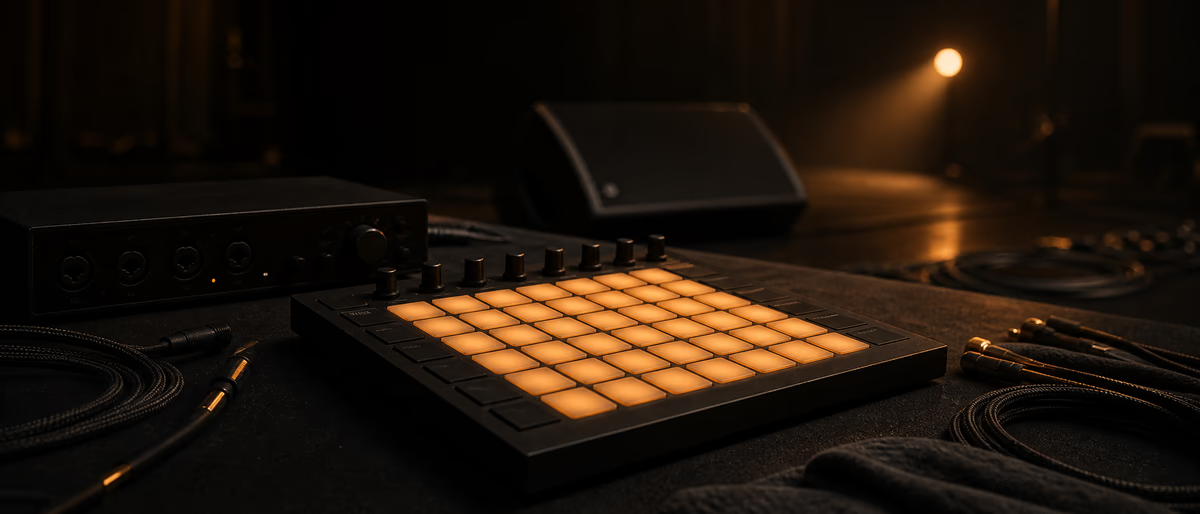
Novation’s Launchpad X is a grid controller optimized for clip launching and drum pad play, commonly with Ableton Live. It shines when your set is clip-based: scenes as arrangement blocks, clips as layers you can trigger and mute live.
Confirm firmware and Ableton integration details on Novation’s official Launchpad X product support resources when setting up a new machine.[1]
Set Architecture Before Mapping Pads
Build the Live set first: tracks for drums, bass, music, FX, vocals; scenes named Intro/Verse/Hook/Break. Normalize clip lengths (1, 2, 4, 8 bars) so launching feels musical. Follow actions can chain clips, but over-automation removes performance choices—balance both.
Color clips by role (drums warm, bass cool, FX neon). Consistency trains muscle memory faster than clever one-off layouts.
Grid Layout Patterns That Work
Common pattern: bottom rows reserved for drum hits or loop mutes; upper rows for melodic clips; scene launch column for section changes. Another pattern: vertical instrument stacks per column, scenes as horizontal energy steps.
Leave empty pads as safety buffers so a mis-hit does not fire a siren FX at full level. Put panic/stop ideas on harder-to-hit locations if you use them.
| Zone | Suggested content | Lighting tip |
|---|---|---|
| Scene column | Section launches | Bright unique colors per section |
| Drum bank | Kicks/snares/hats | Velocity-responsive where supported |
| Bass clips | Alternate bass patterns | Color-code intensity |
| Music beds | Chords/pads/leads | Dim when not active if possible |
| FX row | Impacts/risers | Use sparingly; protect neighbors |
Session vs Drum vs Custom
Session mode is the live arrangement brain. Drum mode turns the grid into a playable kit—great for hybrid sets where you finger-drum fills. Custom modes (via Novation components/tools depending on setup) can host mixer-style controls or user pages—only add them if you will rehearse them.
Feature creep kills sets. One reliable session layout beats five half-learned custom pages.
- Session Primary for song structure.
- Drum Fills and live percussion.
- Mixer features Levels/mutes if you can look less at the mouse.
- Note mode uses Optional melodic play—practice required.
Reliability and Backup
Disable notifications, auto-updates, and sleep. Use a dedicated user account for gigs. Carry a USB backup of the project and a stereo stem setlist bounce if the grid fails. Label cables; secure the laptop with a lock on sketchy stages.
Ableton Link can sync with other devices when collaborators join; test Link sets thoroughly—tempo takeover surprises are real.[2]
Musical Performance Tips
Launch clips on phrase boundaries. Use empty bars intentionally. Automate filter cuts on a single knob/fader if available rather than twenty simultaneous clip launches. Audience-facing energy comes from arrangement choices and your physical confidence, not only LED fireworks.
If you play with a band, give them a click/IEM plan and do not change tempo maps mid-song without a plan. Hybrid band + Launchpad sets need a music director brain even if that person is you.
Packaging Songs Into a Setlist
Order songs by tempo families when possible so warping and click transitions are gentler. Place your most reliable track second—not first—so openers can absorb nerves. Build 30–60 seconds of flexible intro material for delayed stage cues.
Between songs, decide whether you stop hard or cross into a drone bed. Hard stops need confidence and lighting cues; continuous beds need careful key compatibility. Label scene rows with setlist numbers that match a paper stage plot.
Sound design for live grids favors shorter reverbs and controlled bass. Studio mixes with huge tails become messy when clips re-trigger. Print special FX as audio clips with known peaks rather than stacking live plugin accidents.
If you use vocalists, provide them a setlist with keys and cue notes, and give FOH a stereo reference playlist. Your Launchpad may be perfect while the room mix still needs engineer context. Over-communicate before doors.
- Setlist doc Order, BPM, key, start cue.
- FOH doc Inputs, click warning, stereo bed fallback.
- Personal doc Which scene is panic stop.
Field Notes and Maintenance Habits
Revisit this workflow after every project that stresses it. Write two bullets about what failed and one change to the template. Small maintenance habits compound faster than buying new tools.
Keep a short reference playlist or checklist beside the computer so you do not rely on memory during deadlines. When something works, save it as a named preset or template immediately.
Share the checklist with collaborators so the system survives beyond one person. Consistency is part of professional sound even when the aesthetic is experimental.
Build live-ready sessions with solid software tools and sample resources—then map them to the grid after the music works.
Learning path
ฮับคำตอบที่เกี่ยวข้อง
แคตตาล็อกที่เกี่ยวข้อง
เพิ่มเติมจาก tutorials จากแค็ตตาล็อก
tutorials เพิ่มเติมจากฟีด Plugg Supply จัดอันดับตามความนิยมในแคตตาล็อก
![Udemy Singing Mastery Holistic Method To Sing Freely [TUTORiAL]](/images/posts/udemy-singing-mastery-holistic-method-to-sing-freely-86017.avif?v=2026080101)
LEARNING / VIDEO TUTORIALS
Udemy Singing Mastery Holistic Method To Sing Freely [TUTORiAL]
![Tus Clases De Guitarra Guitarra Rítmica [TUTORiAL]](/images/posts/tus-clases-de-guitarra-guitarra-ritmica-85925.avif?v=2026080101)
LEARNING / VIDEO TUTORIALS
Tus Clases De Guitarra Guitarra Rítmica [TUTORiAL]
![Lucid RnB Alchemy [WAV, MiDi, Synth Presets, TUTORiAL]](/images/posts/lucid-rnb-alchemy-85746.avif?v=2026080101)
샘플 / พรีเซ็ต / MIDI / VIDEO TUTORIALS
Lucid RnB Alchemy [WAV, MiDi, Synth Presets, TUTORiAL]
![Truefire Bass Soloing Studies Vol.2 [TUTORiAL]](/images/posts/truefire-bass-soloing-studies-vol2-85693.avif?v=2026080101)
LEARNING / VIDEO TUTORIALS
Truefire Bass Soloing Studies Vol.2 [TUTORiAL]
บทความที่เกี่ยวข้อง
LEARNING / VIDEO TUTORIALS
Udemy Singing Mastery Holistic Method To Sing Freely [TUTORiAL]
LEARNING / VIDEO TUTORIALS
Tus Clases De Guitarra Guitarra Rítmica [TUTORiAL]
샘플 / พรีเซ็ต / MIDI / VIDEO TUTORIALS
ท็อป 5%Lucid RnB Alchemy [WAV, MiDi, Synth Presets, TUTORiAL]
LEARNING / VIDEO TUTORIALS
Truefire Bass Soloing Studies Vol.2 [TUTORiAL]
![MixWithTheMasters Beck Recording and Producing Ride Lonesome [TUTORiAL]](/images/posts/mixwiththemasters-beck-recording-and-producing-ride-lonesome-86013.avif?v=2026080101)
LEARNING / VIDEO TUTORIALS
MixWithTheMasters Beck Recording and Producing Ride Lonesome [TUTORiAL]
![Nimda 115 Growly Sustain And Stab From Brass Sample [TUTORiAL]](/images/posts/nimda-115-growly-sustain-and-stab-from-brass-sample-85964.avif?v=2026080101)
LEARNING / VIDEO TUTORIALS
Nimda 115 Growly Sustain And Stab From Brass Sample [TUTORiAL]
คำถามที่พบบ่อย
- Does Launchpad X require Ableton?
- It is designed around Ableton-class clip workflows. Other DAWs may have limited integration—check current official support notes.
- How many scenes should a song use?
- Enough to express sections without micro-managing every bar. Often 6–12 scenes per song is manageable.
- Should every clip be the same length?
- Consistent phrase lengths reduce timing mistakes. Occasional half-bar FX clips are fine if practiced.
- How do I avoid clipping when launching stacks?
- Gain-stage clips, use group dynamics, and leave headroom. Live volume jumps are a set design problem.
- Is finger-drumming required?
- No. Many sets are launch-only. Drum mode is optional expression.
- What buffer size for shows?
- As low as stable on your machine. Stability beats bravado.
- Can I use stems instead of MIDI clips?
- Yes—audio clips are often more CPU predictable. Combine both thoughtfully.
- How do I practice efficiently?
- Run full setlist run-throughs weekly; record video of your hands to spot hesitant moves.