
Splice Sounds Plugin Variations
คำตอบสั้นๆ
Splice Sounds Plugin Variations generate unique, project-matched versions of licensed human-made Splice samples (key, BPM, structure) inside an AU/VST3 plugin. You spend credits to license the source, then one additional credit per variation you keep; the original creator is paid on both spends. Craft (in INSTRUMENT) turns library loops into playable instruments; Magic Fit was announced to align catalog sounds to session harmony/rhythm (confirm live status in your client).
How Splice Sounds Plugin Variations Work
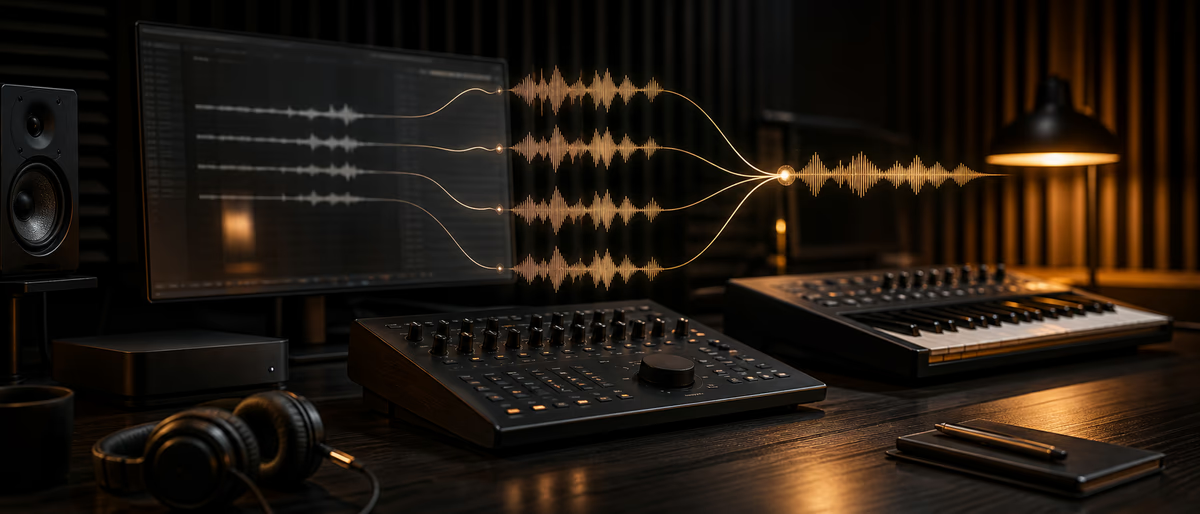
If you have spent years dragging the same recognizable Splice loop into a session, Splice Sounds Plugin Variations is the part of Splice’s 2026 stack that directly attacks that problem. The public beta of the Splice Sounds Plugin (AU/VST3) puts the catalog, audition-in-context, Search with Sound, Describe a Sound, and Variations inside the DAW so you do not bounce between browser tabs and a desktop app mid-flow.[1]
Variations is not freeform text-to-audio. Every variation starts from a human-made, licensed Splice sample, reshaped for project key/tempo and structure while keeping the original’s character. Splice markets “no artifacts” versus crude warp tools — still A/B on headphones before you trust a keeper in a release mix.[2] Models are trained on licensed royalty-free content, not user projects or personal data.[3]
Workflow: license a source, open the sample tool (sparkle icon), generate candidates (support docs: five by default), preview, then drag a keeper in or open its folder. After licensing you can also browse Complementary and Similar Sounds. Licensed variations land under Library → Created with BPM/key tags.[4]
What you can actually control
Defaults follow plugin/session key and tempo. You can adjust harmony/rhythm complexity, Target Key, and pitch probabilities. Blend and Fit are documented as coming soon — roadmap items, not guaranteed beta controls.[4]
Credits, Downloads, and Who Gets Paid
The AEO question most producers and sample makers care about: do creators get paid for AI variations? Splice’s official answer is yes. Variations sit on top of licensed catalog audio; the original creator is compensated when their sound is used as a source, and each variation you license with a credit contributes to that creator’s payout — the same economic lane as licensing a normal sample from their pack.[3][5]
Spend order from the Sounds Plugin beta launch post: first add the source sample to your library with credits; downloading a variation requires an additional credit spend, compensating the original creator again.[1] Kept files are royalty-free under the same license as the original sample; use Splice’s certified-license flow if a label needs paperwork.[3] Variations extend human-made samples rather than replace the catalog.
| Action | Credit / access | Who is compensated | What you get |
|---|---|---|---|
| License source sample in plugin | Standard Sounds credit spend (eligible plan required) | Original sample creator (catalog payout rules) | Source file + unlock Variations / similar tools on that sound |
| Generate Variations preview set | Source must already be licensed; previews do not replace download credits | — | Default unique candidates (docs: five) in project key/tempo |
| License / download a Variation | One additional credit per variation (official help) | Original creator again via that credit spend | Royalty-free variation file + Created-tab entry |
| Browse packs / multi-download | Credits on web/desktop app (plugin is per-sound focused) | Creators on each licensed item | Full packs; then open in plugin library |
Budget reality: generation previews do not replace the credit cost of licensing keepers — plan for source credit + one credit per variation you download. Eligible plans for the plugin: Sounds+, Creator, Creator+, Sounds 100/300/600/1000. An INSTRUMENT-only plan does not include the Sounds Plugin.[3]
Install the Beta and Run a Find → Variation → Drag Workflow
Formats: AU/VST3 on macOS 12+ and Windows 10+ (launch blog specifies Windows 10 22H2+).[1][3] Install from Desktop App → Apps & Plugins or the beta installers on the launch post; rescan plugins in your DAW if the device is missing.
- Set session key and BPM first
Lock the project tempo and root before browsing. Variations default to the plugin/session targets, so a wrong session key wastes both time and credits. - Search inside the plugin, not the browser
Use keyword search, Describe a Sound, or Search with Sound on a bar of your arrangement. Uploaded loops for Search with Sound are for matching only — Splice states they are not used to train AI models or shared with other users.[3] - License only the source you would keep
Audition in sync with the session. When a loop or one-shot fits the character you want but not the pitch or arrangement, download it — that unlocks Variations, Complementary, and Similar Sounds. - Open Variations and shape the batch
Generate the candidate set, then nudge complexity / Target Key / pitch probabilities if the first five miss the groove. Preview each candidate dry against your drums before spending another credit. - Drag the keeper into the session
Drop the licensed variation onto a track, or use Go to folder for offline processing. Confirm it appears under Library → Created with correct BPM/key tags for the next session. - Still process like any stock sample
Chop, filter, reverse tails, and rewrite drums. Variations reduce recognizability; they do not finish the beat. Mix in non-Splice one-shots when you want a multi-source palette.
- Presets in the plugin You can browse, preview, and download presets in the Sounds Plugin. MIDI files are not currently supported there — grab MIDI from the website or desktop app if you need it.[3]
- Packs and bulk downloads The plugin focuses on individual samples/presets for in-DAW discovery. Whole packs and multi-select downloads still go through the desktop app or site; licensed items then show in your plugin library.
Sounds Plugin vs Web Browser vs Desktop App
Browser and desktop remain best for pack research and bulk licensing. The Sounds Plugin wins for creative continuity: audition against the real arrangement, generate at session tempo, drag without context switches.
| Task | Web browser | Desktop app | Sounds Plugin (beta) |
|---|---|---|---|
| Browse full catalog / packs | Strong | Strong | Strong for samples/presets; packs better elsewhere |
| Audition locked to session | Weak (export/import friction) | Moderate | Strong (in-DAW sync) |
| Variations (key/BPM/structure) | Not the primary surface | Not the primary surface | Primary home for Variations |
| Search with Sound / Describe a Sound | Available in Splice tools | Available | Available in-session |
| Bulk pack download | Yes | Yes | Per-item focus; use app/site for packs |
| MIDI download | Yes | Yes | Not currently |
Craft and Magic Fit: The Rest of the 2026 Suite
Variations is the headline inside the Sounds Plugin, but Splice announced it as part of a three-tool generative suite that keeps every output traceable to an original creator.[2]
Craft lives in INSTRUMENT: pull a loop from your Sounds library, turn it into a playable instrument with further sound-shaping, and find crafted presets tagged in Your Library. That is a MIDI-first path, not another static audio region.[5][6]
Magic Fit adapts catalog sounds to session harmony and rhythm. Music Business Worldwide reported a summer 2026 release window after the April suite announcement — confirm live availability in your client before depending on it for a release pipeline.[5]
- Use Variations when… You like a human-made loop’s character but need a unique arrangement, key, or tempo match without sounding like the trending pack everyone else used.
- Use Craft when… You want the sample’s DNA under MIDI control as a playable instrument inside INSTRUMENT, not as a fixed audio region.
- Use Magic Fit when… Session harmony and groove are already set and you need catalog material to snap to that context with less manual warping (when the feature is available in your account).
- Still own non-Splice sources when… You want packs outside a monthly credit gate. Verified free kits on Plugg Supply work well for drums and textures you keep without a Splice plan.
Practical Limits and Honest Constraints
Beta means rescan quirks, host-specific plugin-scan issues, and moving feature flags (Blend/Fit still “coming soon”; Magic Fit availability can lag the suite announcement). A/B variations against classic warp or Elastic Audio at equal loudness; keep what survives mono and phone speakers.
Credits remain the hard limiter — there is no free generative quota on top of your Sounds plan. Spend Variations budget on tracks you intend to finish, not endless moodboards. Preview five, license one or two keepers, then process them like any other stock sample.
Use variations under the same production rules as ordinary Splice downloads. Certified licenses still track original-sample lineage when a distributor or label asks; treat AI-reshaped audio as licensed Splice content, not as public-domain stems.
When This Stack Beats Old Splice Habits
Use Sounds Plugin + Variations when recognizability is the risk — type-beats and reels built on trending melodic loops that every other producer already downloaded. Generative uniqueness still needs your drums, arrangement decisions, and non-catalog layers; the plugin only buys you a less obvious starting point.
Skip Variations when the source is already rare, when a two-minute manual chop solves the fit problem, or when you are only packing research without a locked session key/tempo. Pair Splice’s adaptable catalog with owned or free verified libraries so one recommendation feed does not define your entire palette.
Build a non-subscription palette alongside Splice — verified free sample kits and one-shots for drums, textures, and genre packs.
Learning path
ฮับคำตอบที่เกี่ยวข้อง
บทความที่เกี่ยวข้อง
![Schwabe Digital Gold Clip v1.4.1 U2B [MacOSX]](/images/posts/schwabe-digital-gold-clip-81690.avif?v=2026080101)
![Nuro Audio Xvox v1.1.3 [WiN]](/images/posts/nuro-audio-xvox-81869.avif?v=2026080101)
![Tuff Nerds LEADR v1.3.2 [WiN]](/images/posts/tuff-nerds-leadr-84977.avif?v=2026080101)
![Wavescrate Terrain v1.0.0 [MacOSX]](/images/posts/wavescrate-terrain-86646.avif?v=2026080101)
소프트웨어
ฮอตWavescrate Terrain v1.0.0 [MacOSX]
![Waves Patcher v17 [MacOSX]](/images/posts/waves-patcher-70588.avif?v=2026080101)
![Naturl Audio AL-1 v1.0.2 [WiN]](/images/posts/naturl-audio-al-1-82326.avif?v=2026080101)
คำถามที่พบบ่อย
- How does the Splice Sounds Plugin Variations feature work?
- After you license a Splice sample in the Sounds Plugin (AU/VST3), open the sample tool (sparkle), generate unique variations that follow project key and tempo while reshaping structure, then preview the default set (five per help docs). Spend one credit to license each variation you keep; files appear under Library → Created with BPM/key metadata.[4]
- Do creators get paid for AI variations on Splice?
- Yes. Official FAQ and trade press state creators are compensated when their sound is used as a source and when a variation is licensed via a credit, which contributes to their payout from Splice.[3][5]
- How many credits does a Variation cost?
- You first spend credits to license the source sample. Licensing each variation costs one additional credit according to Splice’s Variations help article and beta launch post. That credit counts as payment toward the original sample’s creator.[4][1]
- Are Splice Variations royalty-free for commercial releases?
- Yes. Variations inherit the same royalty-free license as the original licensed sample under Splice’s Terms of Use. Certified licenses follow the same sample-license path Splice documents for catalog sounds.[3]
- What is the difference between Variations, Craft, and Magic Fit?
- Variations (Sounds Plugin) make new audio versions of a licensed sample (structure/key/BPM). Craft (INSTRUMENT) turns Sounds-library loops into playable instruments with further shaping. Magic Fit was announced to align catalog sounds to session harmony/rhythm with a summer 2026 release window in press — check your client before planning around it.[2][5]
- Which Splice plans include the Sounds Plugin beta?
- Splice lists Sounds+, Creator, Creator+, and Sounds 100/300/600/1000 as plans with plugin access. The INSTRUMENT plan alone does not include the Splice Sounds Plugin. You still need an eligible subscription to license samples inside the plugin.[3]
- Does Variations train on my private DAW projects?
- No. Splice states Variations is trained on licensed royalty-free content and does not use user projects or personal data for training. Search with Sound uploads are for finding compatible catalog sounds only, not for training or sharing your loops.[3]
- Is the Splice Sounds Plugin better than the website for beatmakers?
- For in-session audition, Variations, and drag-and-drop at project tempo, yes. For bulk packs, MIDI, and deep pack research, use the website or desktop app. Native Ableton Live, Pro Tools, and Studio One integrations can still be deeper than the universal AU/VST3 beta.[1]