
One-shot samples
คำตอบสั้นๆ
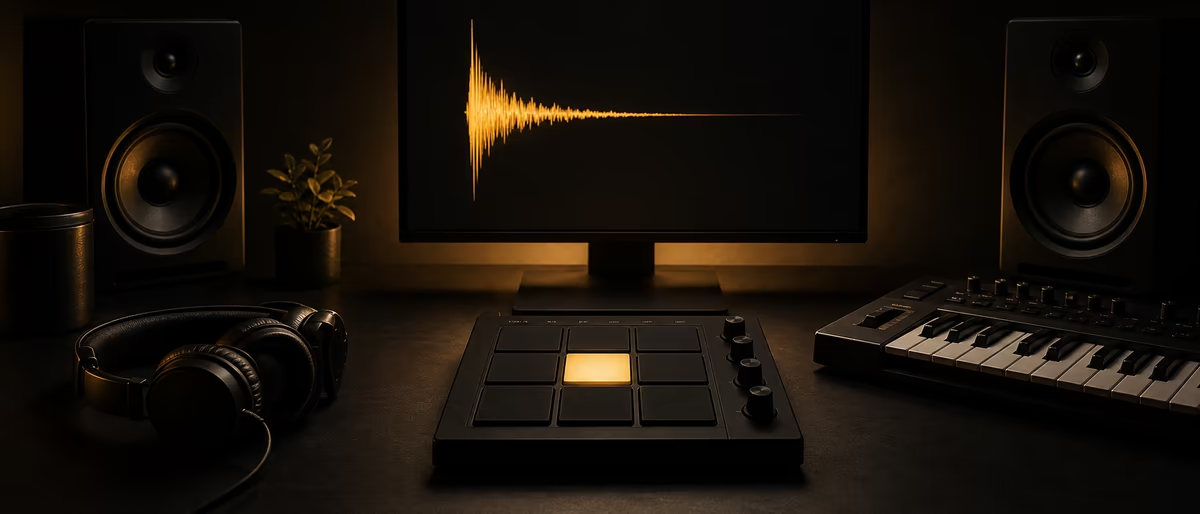
A one-shot sample is a short audio file of a single hit, note, or sound that plays once when triggered — not a repeating loop. Producers use one-shots for kicks, snares, hats, claps, and FX, then program custom patterns in a sampler or drum rack.[1][2]
What Is a One-Shot Sample?
A one-shot (also written one shot or oneshot) is a short piece of audio that contains a single musical event: one drum hit, one chord stab, one vocal syllable, one riser, one foley click. When you press a pad or draw a MIDI note, that sound plays from its start and ends when the file ends (or when the sampler envelope cuts it).[1]
That is the practical definition producers use every day. A one-shot is the building block; a loop is a pre-arranged multi-hit pattern that already has timing and groove baked in. If you want full control of placement, velocity, and layering, you work with one-shots. If you want a ready-made groove, you reach for a loop first — then often chop it into one-shots later.[2]
DAWs treat one-shots as first-class tools. In Ableton Live, Simpler’s One-Shot Playback Mode is built for drum hits and short phrases: monophonic by default, no looping, and by default the whole sample plays when a note is triggered regardless of how long you hold the key.[3] Live 12 also ships Drum Sampler, described by Ableton as a device tailored to playing back one-shot samples inside Drum Racks.[4]
Kicks, Snares, Hats, Melodic Hits, and FX
Most one-shot folders you download are organized by role in the mix, not by BPM. That is intentional: a kick one-shot has no tempo of its own until you place it on the grid. Here is the map most kits follow.
- Kick one-shots Single low-end hits with a clear transient and body. Layer a punchy click on top of a long sub tail for modern trap and club kicks. Pitch and envelope more than time-stretch.
- Snare / clap Midrange crack for backbeats. Claps often stack two or three takes slightly offset for width. Gate long reverb tails if the room noise fights your bus.
- Hats and percussion Closed hats, open hats, shakers, rimshots, bongos. Short files you sequence into 16ths, triples, or swung grids. Rotate two or three similar hats so the groove does not machine-gun.
- Melodic / harmonic hits Single notes, fifths, or short chord stabs from piano, guitar, or synth. Useful as hooks, call-and-response hits, or sparse melodic punctuation without loading a full multi-sample instrument.
- FX and transitions Impacts, risers, downlifters, reverse cymbals, vinyl noise, foley. Often longer than a drum hit but still “one event” you fire at section changes rather than a looping bed.[5]
- Vocal one-shots Ad-libs, chops, single words, breaths. Treat them like drums on a pad: pitch, reverse, and re-trigger for fills without dragging a full acapella.
Beyond drums, one-shots include vocals, sound effects, bass hits, or any short snapshot that captures a specific sound — that breadth is why sample packs ship both Loops/ and One Shots/ trees in the same ZIP.[1]
One-Shot vs Loop vs Multi-Sample
These three terms get mixed up in browser tags and Discord advice. Use this comparison when you decide what to load first. For a deeper companion article, see samples vs loops vs one-shots.
| Type | What it contains | Tempo locked? | Best use |
|---|---|---|---|
| One-shot | Single hit / event | No — you place every hit | Custom drums, layering, unique grooves |
| Loop | Multi-bar pattern already timed | Usually yes (BPM in name or warp) | Fast sketching, feel reference, chops |
| Multi-sample / kit | Many one-shots mapped by key and velocity | No (MIDI drives timing) | Playable instruments, realistic drums |
| Stem / phrase | Longer musical part (often multi-bar) | Often yes | Arrangement, remix, sampling chops |
A multi-sample kit is still built from one-shots under the hood — several takes of the same snare at soft, medium, and hard hits, mapped across MIDI velocity ranges. The difference is packaging: you play the instrument; you do not browse fifty WAV files mid-session. One-shots give you the raw materials to build that kit yourself.[6]
Velocity Layers: Why Soft and Hard Hits Matter
MIDI note velocity is typically expressed on a 0–127 scale. Higher values mean a harder hit; lower values mean a softer one. That message can simply scale volume, or it can switch which sample plays when a kit is multi-layered.
A single one-shot with volume-only velocity response still works for electronic music — trap kicks often sit near a consistent level on purpose. Acoustic-style kits sound fake when every snare is the same hard sample at 127. Better packs ship several takes of the same piece (soft / medium / hard, or more) so the sampler can crossfade or switch layers as velocity changes.
In Ableton Simpler’s Classic mode, amplitude can track velocity via dedicated envelope and level controls; One-Shot mode is optimized for full playback of short hits with simplified fade controls (Fade In / Fade Out, Trigger vs Gate).[3] Use Trigger when you want a crash or reverse to finish even after you release the pad; use Gate when you need open hats to choke when you lift your finger.
- Volume-only velocity One WAV; MIDI velocity scales loudness. Fast to set up; can sound thin if the sample was recorded as a hard hit and you play it soft.
- Velocity layers Multiple WAVs of the same instrument at different intensities. More realistic dynamics and tone change — not just quieter.
- Round-robin Several alternate takes at similar loudness rotate on repeated hits so the machine-gun effect disappears on hats and snares.
Programming One-Shots vs Dropping Loops
Neither approach is “more professional.” The trade-off is control versus speed. One-shots force you to own every placement; loops give you a finished groove that may also lock you into someone else’s pocket and fill placement.
A common hybrid workflow: start with a drum loop for feel, bounce or slice the best hits into one-shots, then re-program a cleaner pattern that matches your arrangement. Ableton’s Slicing mode and Slice to Drum Rack workflows exist specifically to turn longer audio into pad-ready one-shots.[3]
| Goal | Prefer one-shots | Prefer loops |
|---|---|---|
| Unique drum pattern | Yes — full MIDI control | Only as a reference |
| Finish a sketch in 10 minutes | Slower unless kit is ready | Yes |
| Layering custom kick tone | Yes | Harder without chopping |
| Genre-authentic swing | Program swing / humanize | Loop may already swing |
| Clearance / uniqueness | Easier to own your pattern | Risk of recognizable stock grooves |
Soundtrap’s production notes frame the same split: loops are pre-arranged continuous patterns; one-shots play once and are used to create custom patterns or supplement other elements.[1] If your beats all share the same “stock” pocket, switch one drum element at a time from looped audio to sequenced one-shots.
How to Load and Program One-Shots
- Pick a kit role folder
Start with kicks and snares only. Ignore 200 FX files until the groove works. Audition at a consistent gain so loud packs do not bias your choice. - Load into a sampler or drum rack
FL Studio Channel Rack / FPC, Ableton Drum Rack + Simpler/Drum Sampler, Logic Drum Machine Designer, or any pad sampler. Map one sample per pad for electronic kits; map velocity layers if the pack includes them.[4] - Set playback mode
For short drums, one-shot / trigger mode so the full hit rings out. For open hats you want to choke, use gate or a choke group so the closed hat kills the open sample. - Program a basic grid
Kick on 1 and selected offbeats, snare on 2 and 4 (or genre equivalent), hats in 8ths or 16ths. Then delete hits until the pocket breathes — density is not energy. - Humanize velocity and timing
Vary hat velocities, push ghost snares lower, nudge a few hats off the grid by a few milliseconds. Avoid every note at maximum velocity unless you want a deliberately quantized electronic feel. - Layer and process
Stack a click + body kick, or dry snare + room clap. High-pass layers that only add top end. Apply short saturation or transient shaping on the bus, not every pad. See transient shapers on drums for control of attack. - Commit to audio when done
Bounce the drum bus or freeze the rack before heavy arrangement work so CPU stays free for melodic instruments.
Organize One-Shots So You Can Find Them
A 50 GB dump of unsorted WAVs is useless mid-session. Treat one-shots like a tool drawer: by function first, by character second. Soundtrap’s sample-library advice matches what working producers do — group by instrument type (kicks, snares, synths, claps) and use descriptive filenames so auditioning stays fast.[1]
- Folder tree
Samples/OneShots/Kicks,.../Snares,.../Hats,.../Perc,.../FX,.../Melodic. Keep loops in a separate branch so browser search does not mix patterns with hits. - Naming Include character, not just type:
Kick_808_Long_C.wav,Snare_Clap_Room.wav,Hat_Closed_Metallic.wav. BPM is optional on pure one-shots; key is useful on pitched 808s and stabs. - Favorites / “working kit” Maintain a small “always load” kit of 16–32 proven hits. Swap one pad at a time when a genre needs a new color.
- License folder Keep a text or PDF of the pack license next to commercial downloads. One-shots still have license terms — royalty-free is not the same as free to resell as a pack. See royalty-free samples.
For a full system (tags, managers, backup), use sample organization. If you are building or buying packs, also read what is a sample pack so you know which folders matter before you unzip.
Where to Get Free One-Shot Kits
You do not need a paid subscription to start a serious one-shot library. Free and royalty-cleared packs cover kicks, snares, 808s, and full drum kits if you check licenses before commercial release.
On Plugg Supply, browse verified sample downloads under /libraries/samples and related drum resources such as free drum kits and free 808 sample packs. Prefer 24-bit WAV when available; avoid lossy MP3 one-shots for drums you will layer hard.
- Download a focused kit
One genre-aligned kit beats five random ZIPs. Extract and keep the vendor folder names until you re-tag. - Import only what you need
Copy 10–20 hits into a project or personal “working kit” folder instead of pointing your DAW browser at a multi-GB archive. - Read the license line
Confirm commercial beat use, and whether redistribution of the raw samples is forbidden (it usually is). - Program before you process
Get a pocket you like dry. Then EQ, compress, and saturate the bus so processing serves the pattern.
Download free one-shot drum kits, 808s, and sample packs — verified files ready for your DAW.
Learning path
ฮับคำตอบที่เกี่ยวข้อง
แคตตาล็อกวัสดุ
วัสดุการผลิตที่จะลองต่อไป
แพ็คเกจ ลำต้น และทรัพยากรเสียงที่เกี่ยวข้องจากแค็ตตาล็อก เพื่อให้ผู้อ่านย้ายจากคู่มือไปสู่การใช้งานจริงได้ทันที
![Producer Loops Fly [MULTiFORMAT]](/images/posts/producer-loops-fly-85867.avif?v=2026080101)
![Splice Sounds Naji Mr.drummer Boy Sample Pack [WAV]](/images/posts/splice-sounds-naji-mrdrummer-boy-sample-pack-85798.avif?v=2026080101)
![I7HVN Blind Sample Pack [Ambient, Textural] [WAV]](/images/posts/i7hvn-blind-sample-pack-ambient-textural-85196.avif?v=2026080101)
![Audeobox Error Future Riddim Vibes [WAV]](/images/posts/audeobox-error-future-riddim-vibes-83139.avif?v=2026080101)
แคตตาล็อกที่เกี่ยวข้อง
เพิ่มเติมจาก samples จากแค็ตตาล็อก
samples เพิ่มเติมจากฟีด Plugg Supply จัดอันดับตามความนิยมในแคตตาล็อก
![Munchies Jukebox Afro House Mainstage Vol.1 [WAV, MiDi, Synth Presets]](/images/posts/munchies-jukebox-afro-house-mainstage-vol1-83641.avif?v=2026080101)
![AudeoBox Hyper 2 Hyperpop [WAV]](/images/posts/audeobox-hyper-2-hyperpop-85738.avif?v=2026080101)
![Black Octopus Sound Afterlight Techno [WAV, MiDi]](/images/posts/black-octopus-sound-afterlight-techno-85542.avif?v=2026080101)
บทความที่เกี่ยวข้อง
![Harvy Valencia Sample Pack Vol.1 [WAV]](/images/posts/harvy-valencia-sample-pack-vol1-83780.avif?v=2026080101)
![Stankysocks Can Can Drum Loops Vol.1 [WAV]](/images/posts/stankysocks-can-can-drum-loops-vol1-81273.avif?v=2026080101)
![Equipped Music Smokers Relight Deux Vol.3 [WAV, REX]](/images/posts/equipped-music-smokers-relight-deux-vol3-83918.avif?v=2026080101)
คำถามที่พบบ่อย
- What is a one-shot sample?
- A one-shot is a short audio sample of a single hit, note, or sound effect that plays once when triggered. Producers use one-shots to build custom drum patterns and accents instead of relying only on pre-made loops.[1]
- What is the difference between a one-shot and a loop?
- A one-shot is one event you place yourself. A loop is a multi-hit pattern that already has timing and groove. Loops sketch faster; one-shots give more control over placement, velocity, and uniqueness.[1]
- Are drum one-shots the same as a drum kit?
- A kit is a set of one-shots (and sometimes velocity layers) mapped to pads or keys. Individual WAV files are the one-shots; the mapped instrument is the kit or multi-sample.
- Do I need velocity layers for trap or electronic drums?
- Not always. Many electronic kicks and claps work with one sample plus volume or filter velocity. Velocity layers matter more for acoustic or realistic kits where soft and hard hits should change tone, not only loudness.
- How do I play one-shots in Ableton Live?
- Load a sample into Simpler and switch to One-Shot Playback Mode for monophonic full-file playback without looping, or use Drum Sampler / a Drum Rack pad for kit-style triggering.[3][4]
- Can I sell beats that use free one-shot samples?
- Only if the pack license allows commercial use. Most royalty-free one-shot packs allow beats and releases but forbid reselling the raw samples as your own pack. Always read the license text that ships with the download.
- Should I time-stretch one-shot drums?
- Usually no for short kicks and snares — pitch and envelope them instead. Time-stretch is more useful on longer FX, vocals, or melodic hits when you need them to fit a new tempo without changing pitch independently.